
Is There an Official GitLab App? Android and iPhone
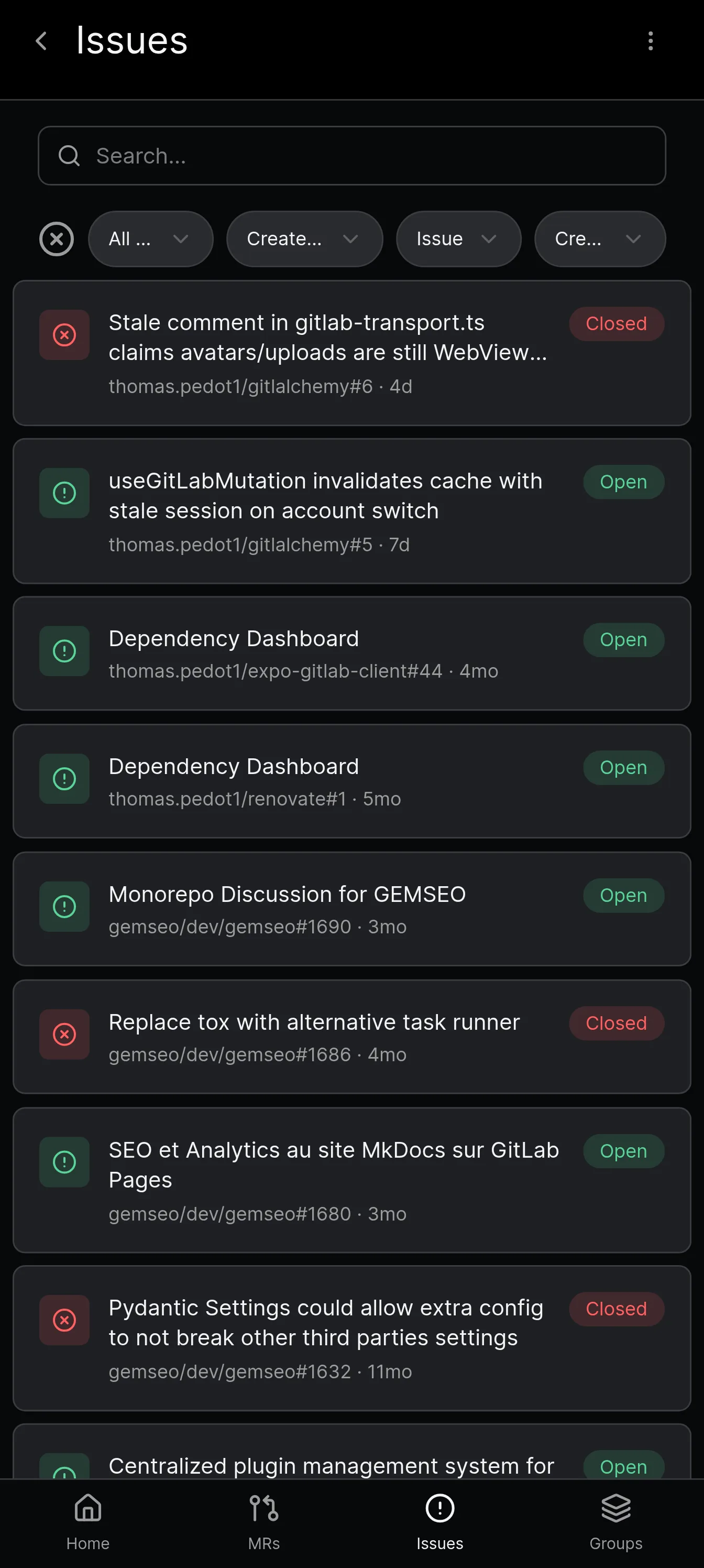
No, GitLab does not have an official mobile app. It publishes no app for Android or iPhone, and what you find in the stores is made by third parties, including GitAlchemy, a free and open source client for Android on F-Droid.
People search for the GitLab app, find a dozen third party clients, and reasonably ask which one, if any, is official. This page answers that directly, platform by platform, and names what you can actually install.
Does GitLab have an app?
No. GitLab does not publish a mobile application for Android or iPhone, and it does not publish a desktop application for Linux, macOS or Windows. There is no first party GitLab icon to install on a phone, and no official "GitLab for Windows" download.
What GitLab does publish for working outside the browser is developer tooling: the glab command line interface, and editor extensions for VS Code, JetBrains IDEs, Visual Studio, Eclipse and Neovim. Those bring merge requests, issues and pipelines into the editor you already have open. They are not phone apps and they are not a general purpose desktop client.
Everything else you find in an app store is made by someone else. Some of those clients are excellent, some are abandoned, and the distinction is not always obvious from the store listing. The rest of this page sorts them out.
Is there a GitLab app for Android?
There is no official one, but Android is where the choice is best. These clients are on F-Droid, so you can install and update them without a Google account:
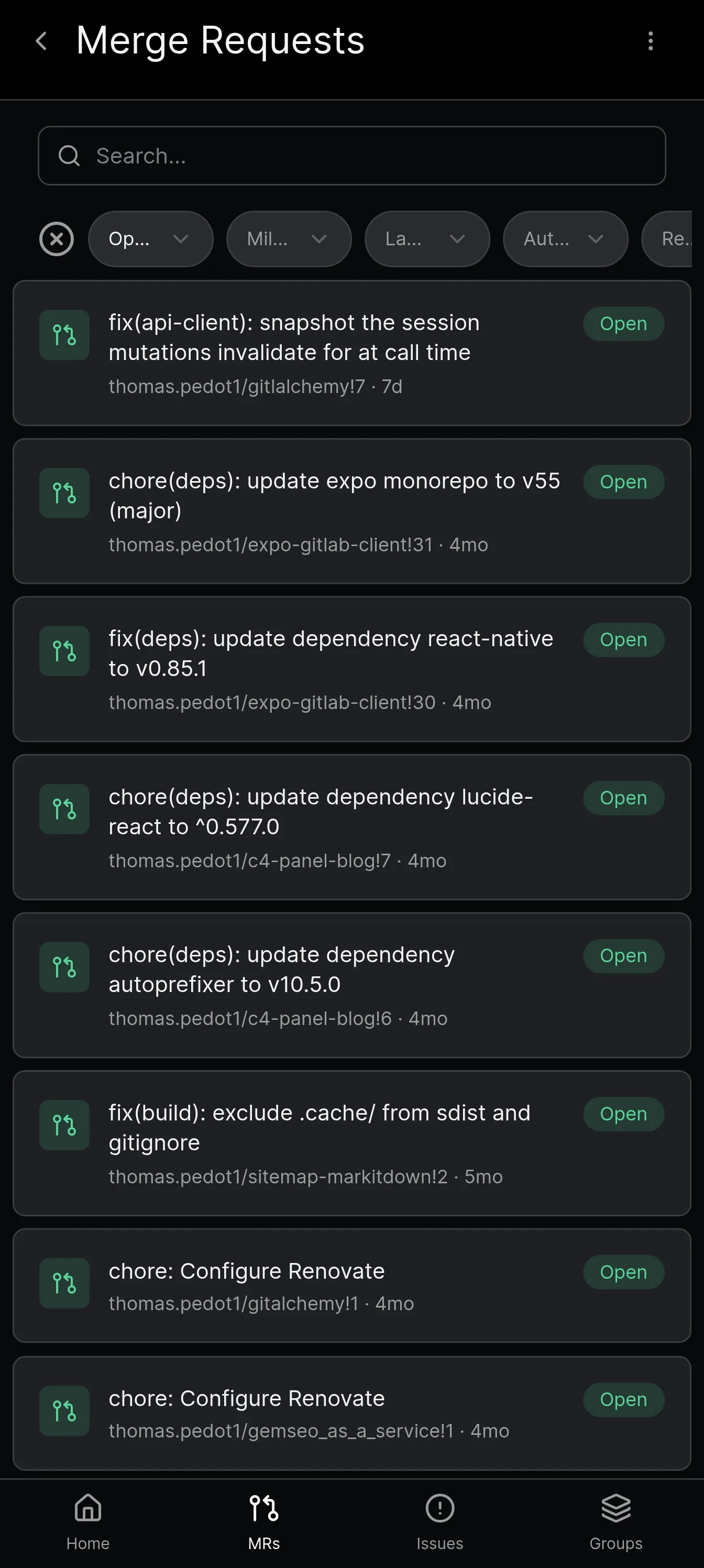
- Gitalchemy is a free, open source GitLab client for Android, MIT licensed. It covers merge request review with a diff viewer and a Start review flow that holds draft comments, issue editing, repository browsing with a file filter, and pipelines you can retry, cancel or download artifacts from.
- LabNex (com.labnex.app) is a GPLv3 client with multiple account support, a biometric lock, a broad project feature set and a Material Design 3 interface. Development moved to Codeberg after the GitHub repository was archived on 17 June 2026.
- LabCoat (com.commit451.gitlab) is the veteran of the group, Apache 2.0, with more than 100,000 downloads on Google Play. It shipped version 3.0.x releases in April 2026 and now covers Android and iOS.
- Lab+ for Gitlab (dev.labplus.app) is a small MIT licensed app for viewing repositories and pipeline status and editing issues and merge requests. Its last release was September 2024.
On Google Play you will also find GitBear, which focuses on reviewing merge requests, and Nitro, which describes itself as quick DevOps tools and has not been updated since April 2023. Neither is on F-Droid.
The Android client comparison walks through all of these on features, maintenance and price.
Is there a GitLab app for iPhone?
There is no official GitLab app for iPhone either, and you should know one thing up front: Gitalchemy has no iOS app and none is planned.
The reason is not technical. Publishing on the App Store requires a paid Apple developer account, and Gitalchemy is a free and open source project that distributes on F-Droid for Android only. Paying to be listed on a closed store is not a cost the project takes on. If you want to discuss that decision, write to contact@gitalchemy.com.
What iPhone and iPad users can install instead, all verified as live on the App Store in September 2026:
- GLab, Client for GitLab is the most modern of the group. It is free with an optional Pro subscription, requires iOS 18 or later, and supports gitlab.com and self-hosted instances with a personal access token or OAuth. Review requests, issues, pipelines and to-dos are all there.
- Control for GitLab has been on the App Store since 2013, which makes it the longest running GitLab client on any platform. It is free, covers projects, issues, merge requests, commits, branches, tags and wikis, and works against GitLab server version 9.x and higher.
- PocketLab for GitLab is a paid app, priced at 0.99 USD when checked, that leans on AI generated explanations of diffs and pipeline data alongside the usual issue and merge request features.
- Git+ for GitLab is free and covers notifications, issues, merge requests and file browsing, but its last update was July 2022, so treat it as a legacy option.
- LabCoat for GitLab reached the App Store on 9 April 2026, so the long standing Android app is now an option on iOS too.
If you would rather not install anything, Safari is a genuine answer: GitLab's web interface is responsive and workable on a phone for reading an issue or approving a merge request. It is just slower and it has no notifications.
The iOS guide goes into each of these in more detail.
Is there a GitLab desktop app?
Again, not from GitLab. On a computer the official routes are the browser, the glab CLI, and the editor extensions listed above. That is a complete workflow if you live in an editor, and an awkward one if you do not. Gitalchemy is an Android app and does not offer a desktop version, so for a computer you stay with those official routes or a third party desktop client we have not reviewed here.
How do I use GitLab on my phone without an app?
You have two workable answers.
Use the mobile web interface. Open your GitLab instance in your phone's browser and sign in. The interface adapts to a narrow screen, so you can read issues, comment, review a diff and approve a merge request. Nothing to install and nothing to trust with a token. The limits are real: no notifications when the browser is closed, no offline access, and small diffs are still fiddly on a phone.
Use a personal access token with a third party client. This is what every client on this page does. You create a token in GitLab under User settings, then Access tokens, choose the scopes you need for the projects you work with, then paste it into the app along with your instance URL. If you self-host GitLab, that also works: point the client at your own server. A token can be revoked at any time, which is a cleaner security story than handing an app your password, and it is the only mechanism Gitalchemy uses.
One thing worth checking before you install anything: whether the client is still maintained. An abandoned client is not just missing features, it is talking to an API that has moved on. The App Store listing date, the F-Droid release history, and the project's own repository will tell you in under a minute.
For the practical next step, start with the Android comparison or the roundup of GitLab clients. If you run your own server, read how to use GitAlchemy with a self-hosted instance.
FAQ
Does GitLab have a mobile app?
No. GitLab publishes no mobile app for Android or iPhone. Third party clients fill the gap, and on Android you can install one from F-Droid without a Google account.
Is there a GitLab app for Android?
There is no official one, but several third party apps exist. GitAlchemy is a free, open source option under the MIT licence that supports gitlab.com and self-hosted instances. See the Android comparison.
Is there a GitLab app for iPhone?
GitLab has no official iPhone app either. Third party apps exist on the App Store, and our GitLab on iPhone guide lists them. GitAlchemy will never ship on iOS.
Is there a GitLab app, or do I need the website?
You can use the website on a phone, since it adapts to small screens. An app adds a better layout for reviewing and, with some clients, notifications.
Can I use a GitLab app with a self-hosted server?
Yes. Third party clients such as GitAlchemy sign in with a personal access token and your instance URL.
Related Articles
More from GitLab Fundamentals
Take GitLab with you
Gitalchemy is free and open source. Install it on Android from F-Droid.
Questions, or want to follow the work? Reach us at contact@gitalchemy.com or star the project on GitLab.