
GitLab Mobile App for Self-Hosted Instances
GitLab Mobile App for Self-Hosted Instances
GitLab does not publish a mobile app, self-hosted or not, so running your own instance means picking a third party client. GitAlchemy is a free, open source GitLab client for Android that works with self-hosted GitLab as well as gitlab.com. You give it your instance URL and a personal access token, and you are signed in. This page walks through that setup and says what to expect afterwards.
What you need
- An Android phone or tablet. GitAlchemy is Android only and there is no iOS version.
- The address of your GitLab instance, for example
https://gitlab.example.com. - A personal access token from your own account on that instance.
- A way for the phone to reach the instance, whether that is the public internet, a VPN or your local network.
Step 1: install GitAlchemy
Install it from F-Droid, which needs no Google account. The F-Droid install guide covers adding the app and keeping it updated.
Step 2: create a personal access token
In your GitLab instance, open your user settings, then Access tokens, and create a personal access token. Give it a name you will recognise, such as the name of your phone, and set an expiry date that matches your own security policy.
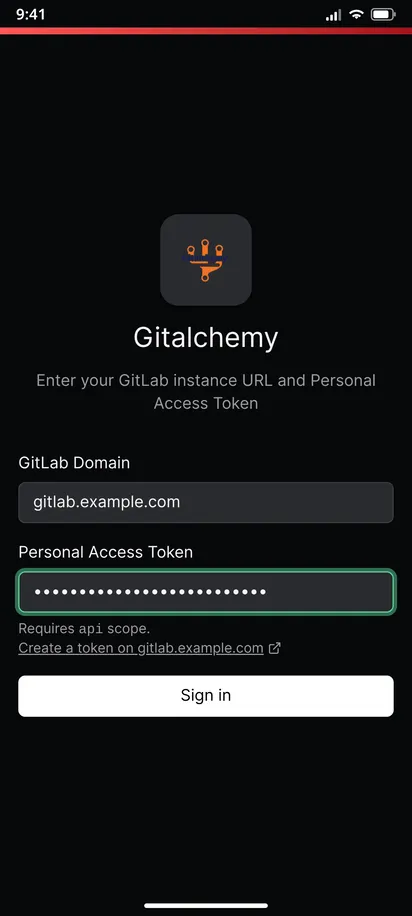
For the scope, GitAlchemy's own documentation tells you to create a token with the api scope. The app does more than read: it comments, edits issues, approves and merges, and retries pipelines, and those actions need write access to the API. The login screen says Requires api scope, and read_api is not enough for what the app does.
Copy the token right away, because GitLab shows it only once.
Step 3: sign in
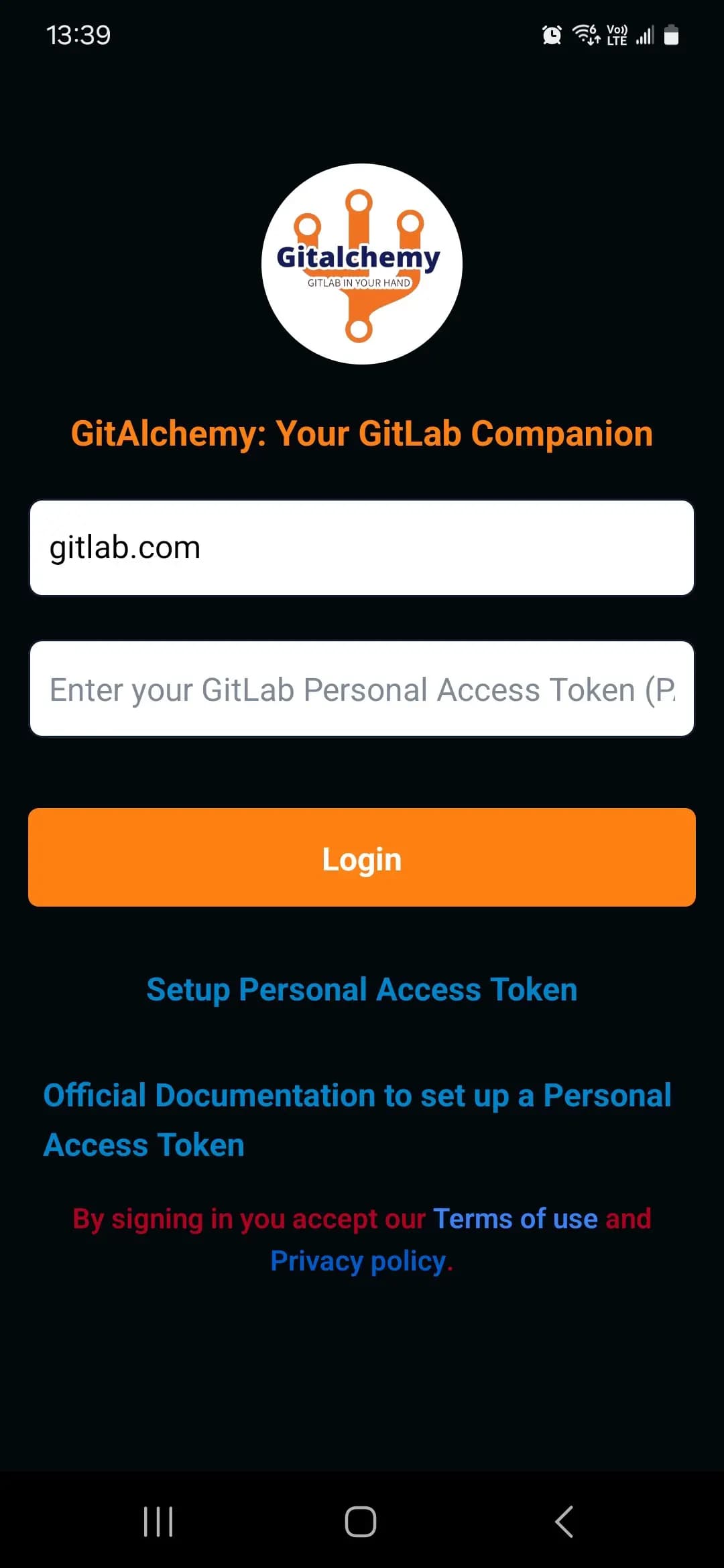
Open GitAlchemy and enter your instance URL and the token on the sign-in screen and tap Sign in. The app can connect to gitlab.com or a self-hosted instance, and the token is the only credential it uses. It does not ask for your password.
You can sign in to more than one instance at once. Open the three dots menu and choose Add account to connect a second server, and switch between accounts without signing out. Each account keeps its own cache, so switching does not show you the previous account's data.
Instances behind a proof-of-work gate
Some self-hosted instances sit behind a bot filter such as Anubis, which makes a plain browser view reject requests. GitAlchemy sends its API requests from the native side of the app rather than from a web view, and its changelog lists sign-in to instances behind a proof-of-work gate and loading images that your instance serves, such as avatars and inline uploads. If you run such a gate, test sign-in once and open an issue if something is blocked.
What works on a self-hosted instance
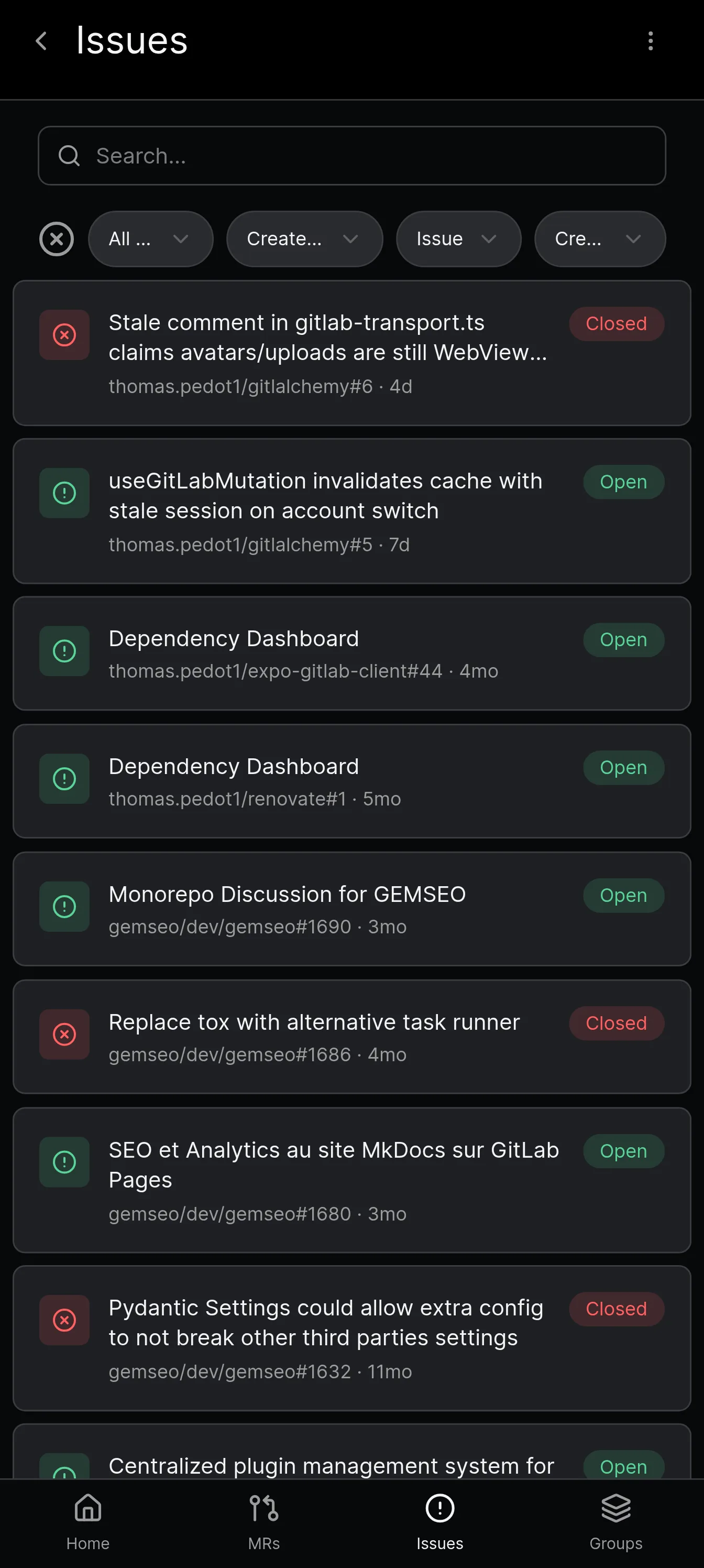
- Merge requests and issues. Read diffs inline or side by side, comment on lines, resolve threads, and edit assignees, labels, milestones and the target branch.
- Pipelines and to-dos. Browse pipelines and jobs, and work through your To-Do list.
- Notifications. The app polls the GitLab Todos API and shows a notification for each to-do, with a Mark done button. This works without Firebase or any Google service, and it covers every signed-in account. See our guide to Android background notifications for GitLab.
- Offline reading. Recently viewed items stay readable without signal. Signing out removes that account's saved data.
Things to know
Links from your server do not open the app directly. Android only lets an app open links from servers that are listed inside the app when it is built, and a self-hosted server cannot be listed. The app says this in its settings. The workaround is to share a link to GitAlchemy to open it.
A rejected token sends you back to sign in. If a token expires or you revoke it, the app asks you to sign in again for that server and keeps your other accounts.
Certificates. Self-signed certificates and private certificate authorities are not supported. The app talks https only and trusts public certificate authorities, so an internal CA installed on the phone is not honoured. A certificate from a public CA such as Let's Encrypt works. Sign-in to a server with another certificate fails with Could not reach and the reason.
Proxies. Android system proxy settings are not read and PAC is not supported.
Revoking access. You can revoke the token in GitLab at any time, and the app stops working for that account immediately.
Next steps
Compare GitAlchemy with the other options in our Android client comparison, or read our roundup of the best GitLab clients. For the full picture on what GitLab itself offers, see the official GitLab app explainer.
Related Articles

More from GitLab Fundamentals
Take GitLab with you
Gitalchemy is free and open source. Install it on Android from F-Droid.
Questions, or want to follow the work? Reach us at contact@gitalchemy.com or star the project on GitLab.