
Retry or Cancel a GitLab Pipeline from Android
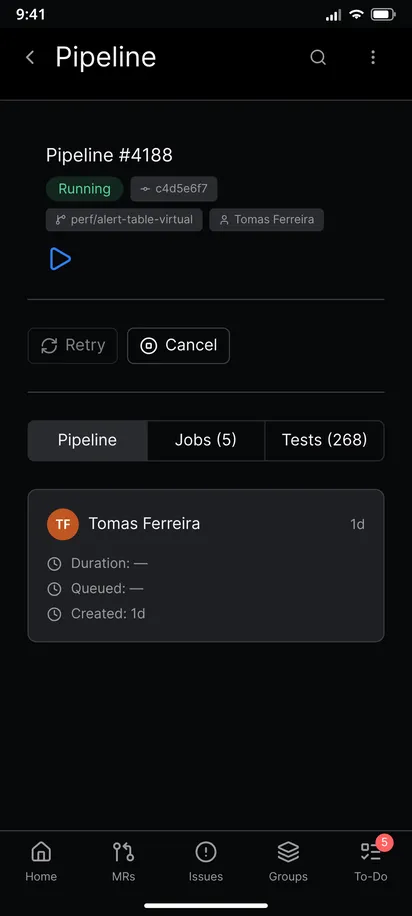
You can retry, cancel and start GitLab pipelines from an Android phone with GitAlchemy, a free open source GitLab client. Open the pipeline and use the action row under its status. A finished pipeline offers Retry. A pipeline that is still going offers Cancel. The app asks GitLab which action is allowed for the status, so you never see a button that cannot work.
Retry a failed pipeline
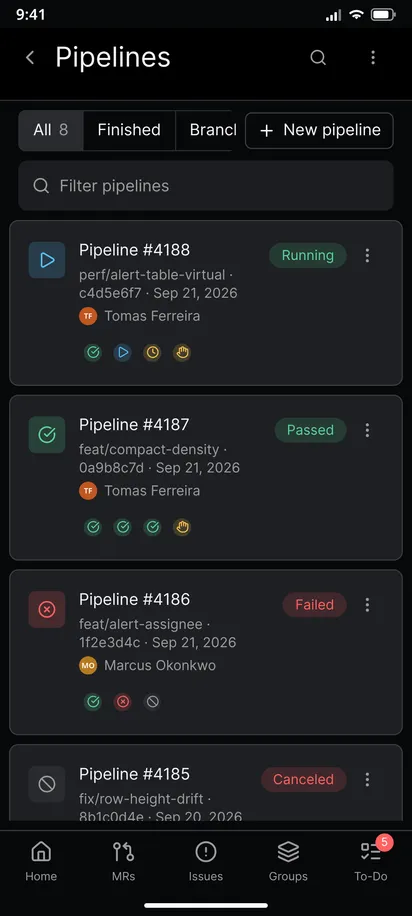
- Open the project and tap CI/CD to see its pipelines.
- Open the failed pipeline. If you are not sure why it failed, read the job log first. A retry of a broken test gives the same red result.
- Tap Retry in the action row. The button shows Retrying while GitLab queues the jobs.
- Watch the status. The screen refreshes on its own while jobs run. When it turns green, go back to the merge request.
Retry is offered for pipelines that ended as passed, failed, canceled or skipped. While a pipeline is running, the button is visible but disabled, because GitLab accepts a retry only after the run has finished.
Cancel a running pipeline
- Open the pipeline that is running, pending or waiting.
- Tap Cancel. The button shows Cancelling until GitLab confirms.
- Check the status. Jobs that already finished keep their results, and the rest stop.
Cancel is also offered for a pipeline that waits on a manual job. GitLab calls that state blocked. It is not running, but it is not finished either.
Retry, play or cancel a single job
Open a job from the pipeline. Its header menu offers the action that fits its state: Retry Job for a finished job, Play Job for a manual job, and Cancel Job for a job that is running. Retrying one job is quicker than rerunning the whole pipeline when a flaky test failed on its own.
Start a new pipeline
On the Pipelines screen, tap New pipeline, pick a branch or a tag, and tap Create pipeline. This is useful to rerun the default branch after a fix or to run a scheduled job's pipeline by hand. If GitLab refuses, for example because the branch has no CI configuration, the dialog shows its error message.
Download artifacts
When some jobs produced artifacts, the action row also shows Download artifacts with the number of jobs that have them. Tap it to fetch them to the phone.
A tip: cancel before you retry
If you push a fix while an old pipeline is still running for the same branch, cancel the old one so the runner time goes to the new commit. Retrying a pipeline reruns the commit it was created for. It does not pick up commits you pushed later, so for a new commit create a new pipeline instead.
Limits
- The buttons follow GitLab's rules and your role. If you lack the rights, GitLab refuses the action and the app shows the error.
- Retry, cancel and play need a token with the
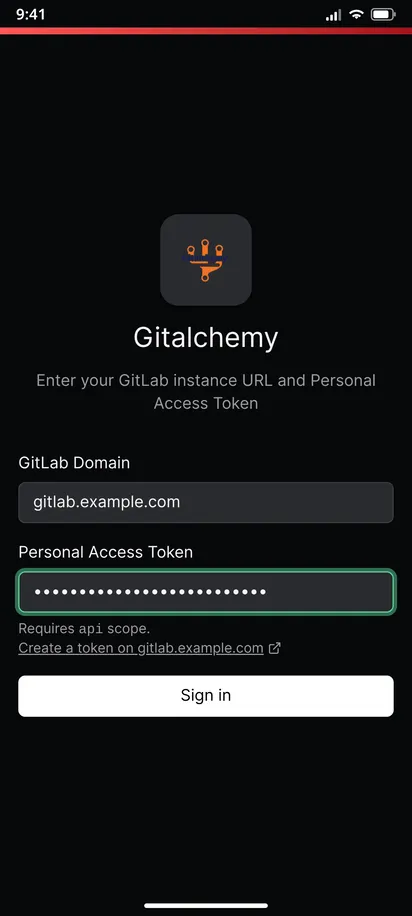
apiscope, andread_apiis not enough. See how to sign in with a personal access token. - You cannot edit CI variables for a manual run in the app. The New pipeline dialog takes only a branch or tag.
Related
This is one step of the GitAlchemy for Android walkthrough. To decide whether a pipeline is safe to merge on, see approving and merging a merge request.
FAQ
Can I retry only the failed jobs?
Yes. Open each failed job and choose Retry Job from its menu, or retry the whole pipeline with the Retry button.
Will I know when the retried pipeline finishes?
The pipeline screen refreshes while it runs. To be told when you are away from the app, rely on your GitLab to-dos and notifications.
Related Articles
More from GitLab Fundamentals
Take GitLab with you
Gitalchemy is free and open source. Install it on Android from F-Droid.
Questions, or want to follow the work? Reach us at contact@gitalchemy.com or star the project on GitLab.