
Sign In to GitLab on Android With an Access Token
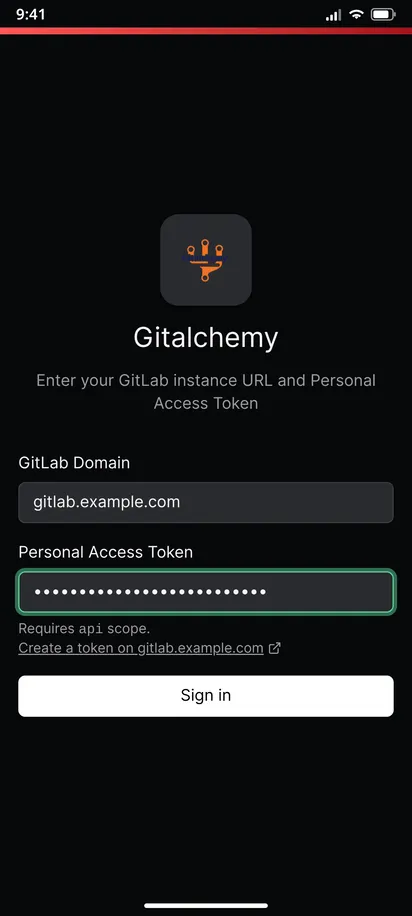
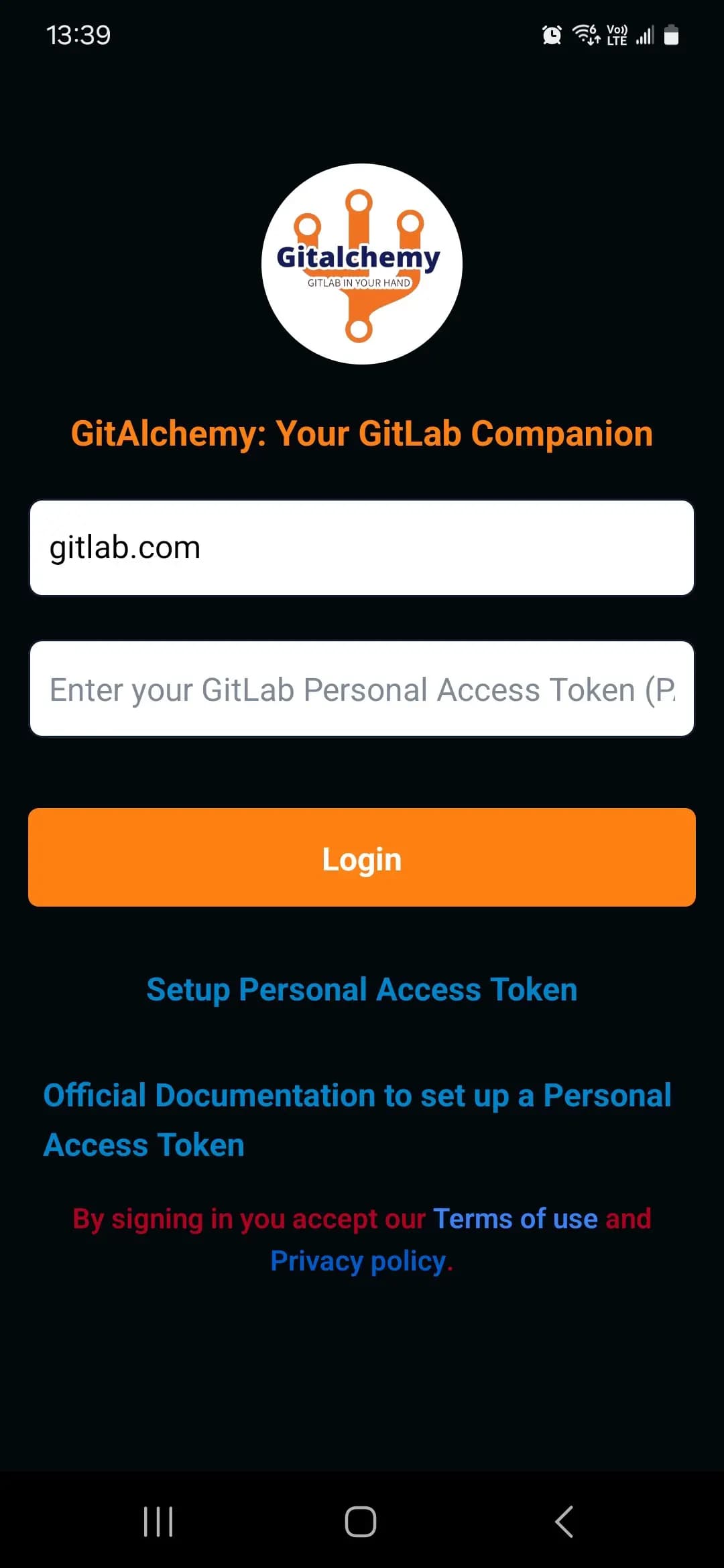
GitAlchemy, a free open source GitLab client for Android, signs you in with a personal access token. You enter the address of your GitLab server and the token, and tap Sign in. There is no password and no OAuth screen. The same steps work for gitlab.com and for a self-hosted GitLab. The token needs the api scope.
Steps
- Install the app from F-Droid. No Google account is needed.
- Open the app. The sign-in screen asks for a GitLab domain and a personal access token.
- Type your domain. Use
gitlab.com, or the address of your own server such asgitlab.example.com. - Tap the link under the token field, which reads Create a token on your server. It opens GitLab's new token page in the browser with the name GitAlchemy and the
apiscope already filled in. - Create the token in GitLab. Pick an expiry date that fits your own policy, then copy the token at once, because GitLab shows it only once. Tokens start with
glpat-. - Go back to the app and paste the token into the Personal Access Token field.
- Tap Sign in. The button stays disabled until both fields are filled. The app checks the token with your server and opens your home screen.
Why the api scope
The api scope is the one the app asks for, because it does more than read. It comments, creates and edits issues, approves and merges, and retries pipelines, and each of those writes to GitLab. The login screen says Requires api scope, and that is the only scope the app asks for. A read_api token is not enough for what the app does, because every write needs the api scope.
A tip: one token per phone
Give the token a name that tells you where it lives, such as the model of your phone. If you lose the phone, revoke that token in GitLab under your access tokens and nothing else is affected. Revoking works at once, and the app stops working for that account.
If sign-in fails
- The server address is wrong. Check the domain for typos. Use the address you type in the browser.
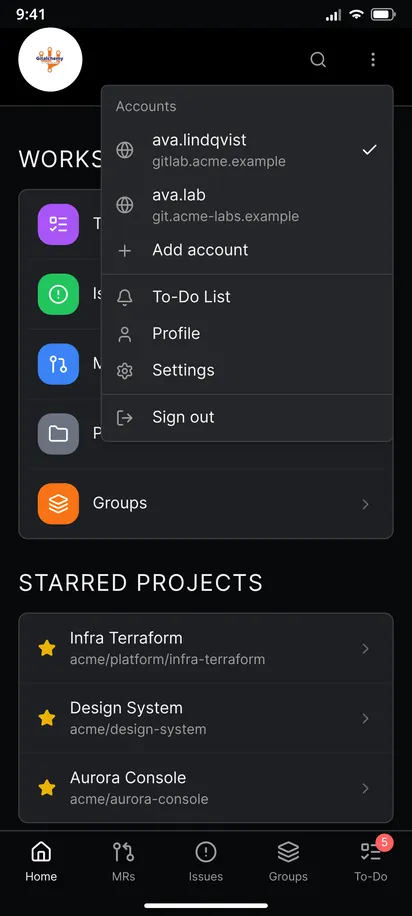
- The token was rejected. It may have expired or been revoked. Create a new one. If a signed in account is rejected later, the app marks it as needing sign-in and asks you to sign in again for that server, and your other accounts stay.
- The phone cannot reach the server. A server on a company network or a VPN needs the phone to be on it too.
- Self-signed or private CA certificate. The app does not support these. It talks https only and trusts public certificate authorities. The self-hosted guide has more.
Limits
- The app is Android only. There is no iOS app and no desktop build.
- The token sits on the phone. Turn on App lock in Settings to lock the app after a delay of your choice.
- You can sign out from the three dots menu, which also removes that account's saved data.
Related
This is the first step of the GitAlchemy for Android walkthrough. Next, add a second account or turn on notifications.
FAQ
Do I need an administrator to sign in to a self-hosted GitLab?
No. You create the token in your own user settings. Your instance must allow personal access tokens, which is the default.
Is my token sent to anyone besides my GitLab?
No. The token is sent only to the GitLab server you entered. The app has no tracker and no Firebase.
Related Articles
More from GitLab Fundamentals
Take GitLab with you
Gitalchemy is free and open source. Install it on Android from F-Droid.
Questions, or want to follow the work? Reach us at contact@gitalchemy.com or star the project on GitLab.