
Manage GitLab Access Tokens on Android
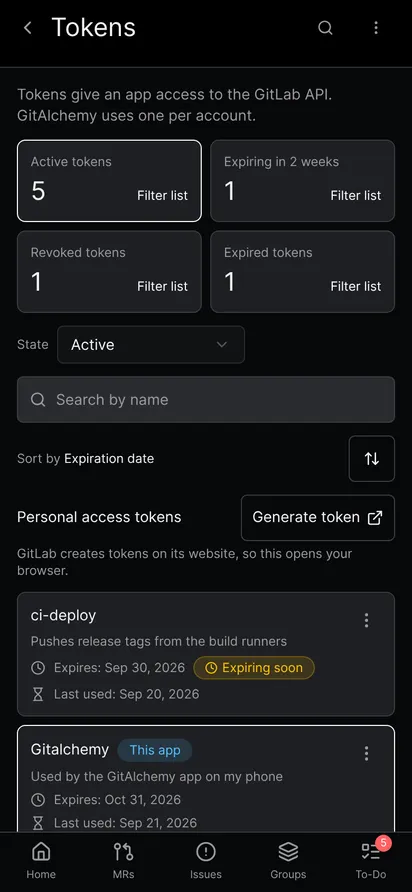
GitAlchemy, a free open source GitLab client for Android, can list your GitLab personal access tokens, show when each one expires and was last used, and rotate or revoke it. It also warns you before the token the app uses expires. These screens are merged in the app and arrive in the next release. They are not in the F-Droid version yet. The app is Android only and there is no iOS version.
Open the token list
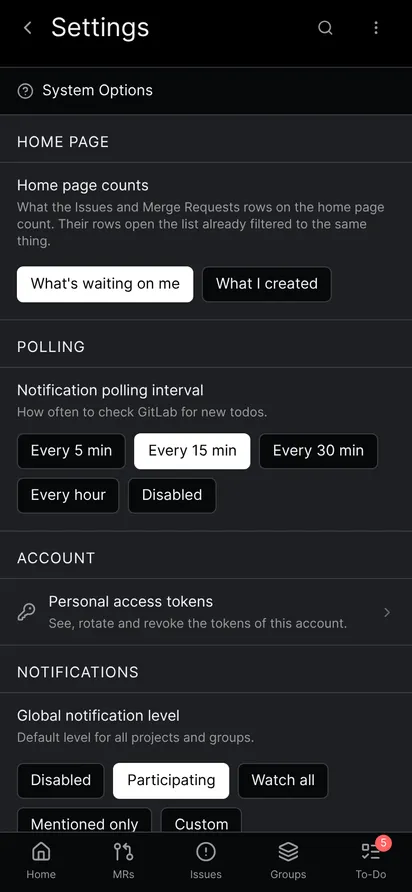
- Open Settings and find the Account section.
- Tap Personal access tokens.
The four cards at the top count your Active tokens, the ones Expiring in 2 weeks, the Revoked tokens and the Expired tokens. Tap a card to filter the list. You can also pick a state, search by name and sort by expiration date. Each row shows the token name, its description, its expiry date and its last use. The token the app signs in with carries a This app badge.
If your GitLab server is too old to offer these endpoints, the app hides the row instead of showing an error.
Read the details of a token
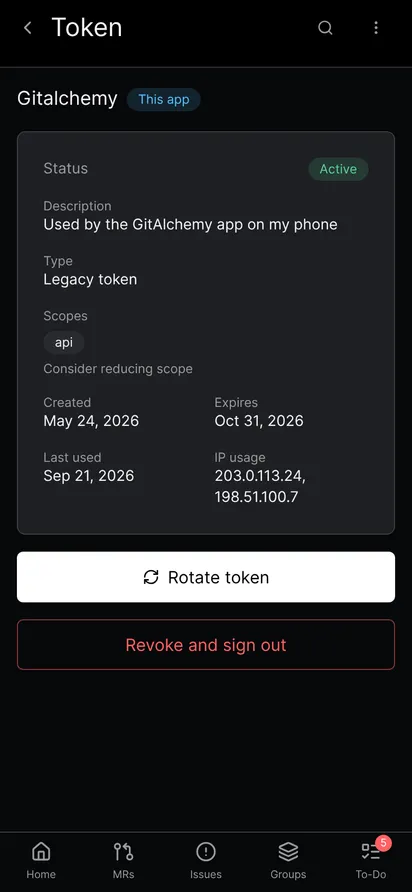
Tap a row to open the token. The screen shows its status, description, type (legacy or granular), scopes, creation date, expiry date, last use and the IP addresses it was used from. The app adds a hint to reduce the scope when a token has more access than it needs.
Rotate a token
Rotating gives you a new secret and the old one stops working right away.
- Open the token and tap Rotate token.
- Choose the new expiry date. GitLab allows one year at most.
- Confirm.
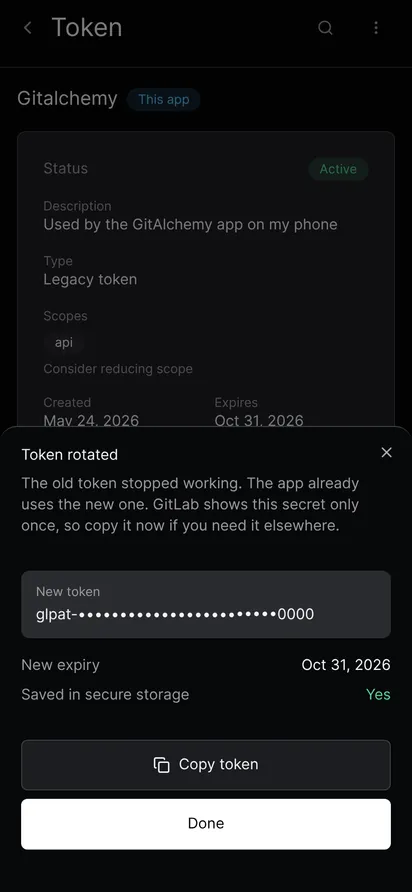
If you rotate the token the app uses, the app switches to the new secret by itself and you stay signed in. The result sheet shows the new token masked, tells you whether it was saved in secure storage and has a Copy token button. If the app could not save it, the sheet says so and you must copy it at once, or you will be signed out. For any other token the sheet is copy only, because GitLab shows a secret just once.
Revoke a token
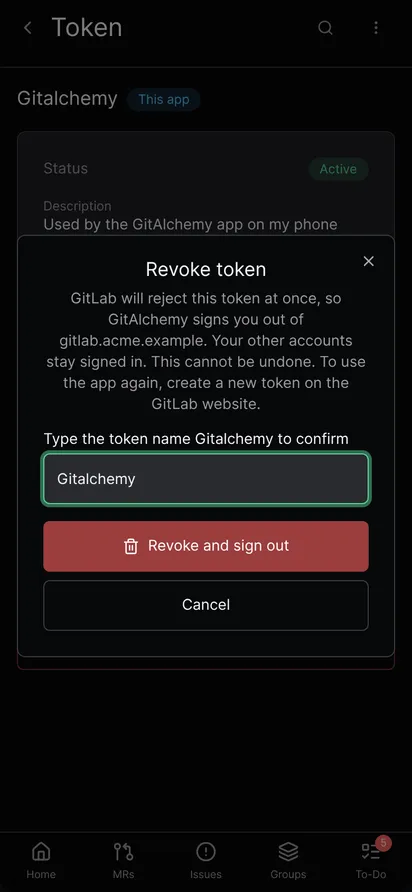
Revoking stops a token at once and cannot be undone.
- Open the token and tap Revoke token.
- Type the name of the token to confirm.
- Tap Revoke.
If it is the token the app uses, the button reads Revoke and sign out. GitAlchemy signs you out of that server only, and your other accounts stay signed in. To use the app again, create a new token.
Get a warning before the token expires
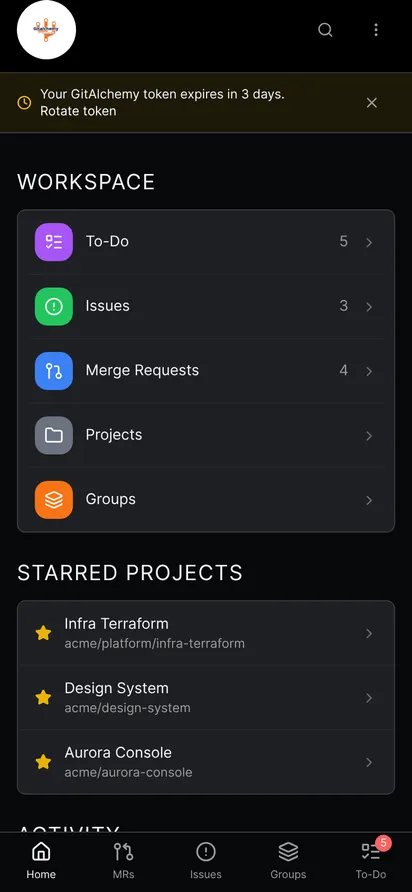
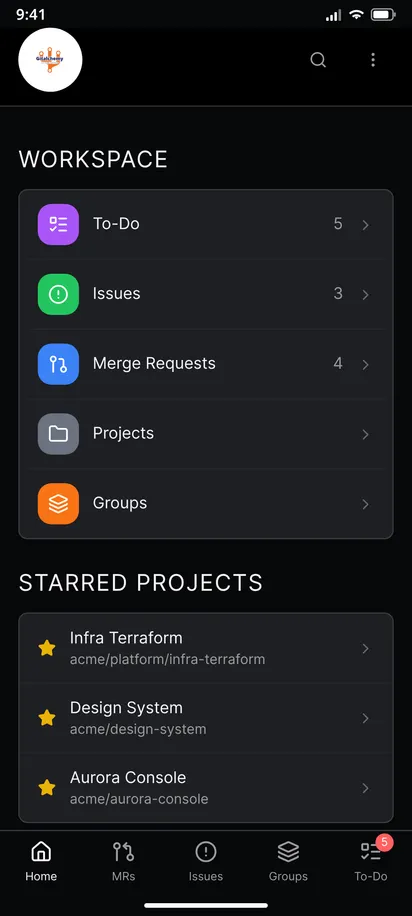
When the token the app uses has 14 days or fewer left, a banner appears on the Home screen. It says how many days remain and has a Rotate token action. You can dismiss it. It comes back when a rotated token nears its new date.
The app also warns at sign in when a token has the read_api scope but not api, because such a token cannot comment, merge or change anything.
Create a new token
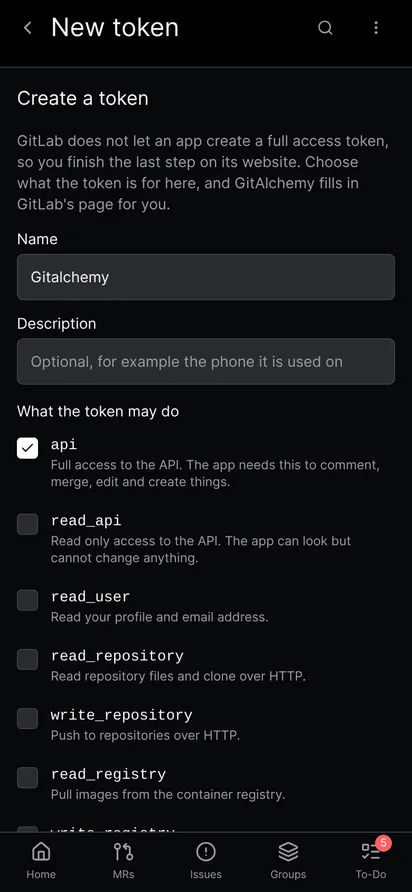
On the token list, tap the create button above the list. You choose a name, a description and the scopes. The form starts with the name GitAlchemy and the api scope, and shows what each scope allows.
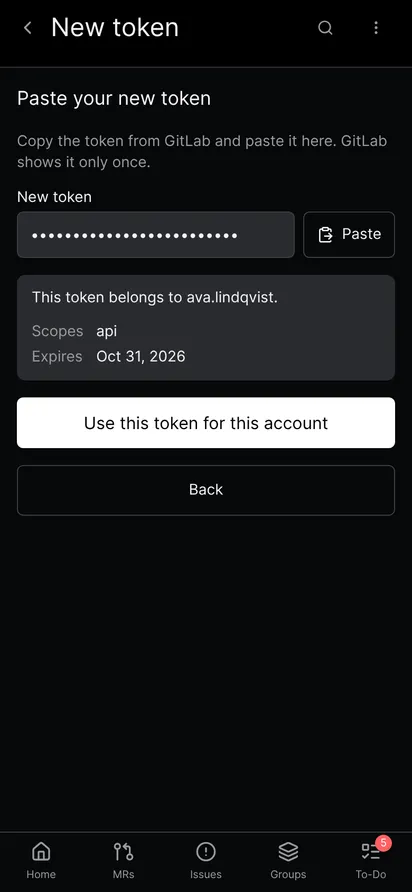
Tap Continue on GitLab. The app opens GitLab's own token page with the name, description and scopes already filled in. Set the expiry date there, create the token and copy it. Then go back to the app, paste the token and tap Check token. The app shows which user the token belongs to, its scopes and its expiry. If it belongs to the same user, you can use it for this account. If it belongs to another user, the app refuses to replace the token.
Why creation goes through GitLab
GitLab does not let an app create a classic token with the api scope. Its API can create only fine-grained tokens, which cover fewer endpoints than GitAlchemy needs, so signing in with one is not supported yet. The only way to get a classic api token is the form on GitLab's website. So the app prepares that page for you and checks the result when you paste it back. Rotation is different. GitLab rotates a classic token into a classic token, so rotating works inside the app.
Limits
- The token screens need a recent GitLab version. Older servers hide them.
- Rotating and revoking need the
apiscope, as GitLab documents. A token with onlyread_apican read but not change. - Links to GitLab's token page open in the app when the host is one of the listed hosts of the Open links setting. See the walkthrough for that setting.
Related
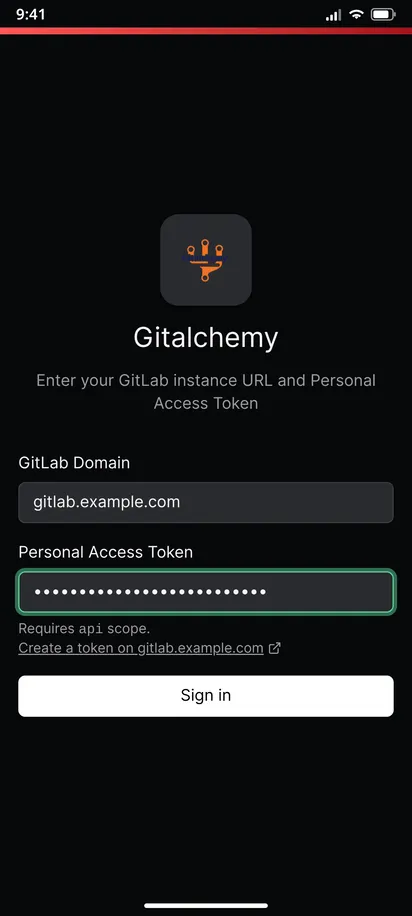
For the first sign in, read Sign in to GitLab on Android with an access token. To keep gitlab.com and your own server in one app, see several accounts. The other changes that arrive with the next release are in what is new in the next release.
FAQ
Can GitAlchemy create a GitLab access token without opening GitLab?
No. GitLab has no way for an app to create a classic token with the api scope. GitAlchemy opens GitLab's token page with your choices filled in, and you finish it there.
What happens to the app when I rotate its token?
The app saves the new secret and keeps working, so you stay signed in. If it cannot save the new secret, the app tells you and you must copy it before you close the sheet.
Does GitAlchemy warn me before my token expires?
Yes. A banner appears on the Home screen when the token the app uses has 14 days or fewer left, and you can rotate it from there.
Is token management in the F-Droid version?
Not yet. It is merged in the app and arrives in the next release.
Related Articles
More from GitLab Fundamentals
Take GitLab with you
Gitalchemy is free and open source. Install it on Android from F-Droid.
Questions, or want to follow the work? Reach us at contact@gitalchemy.com or star the project on GitLab.